Understanding LangGraph: A Starter's Introduction
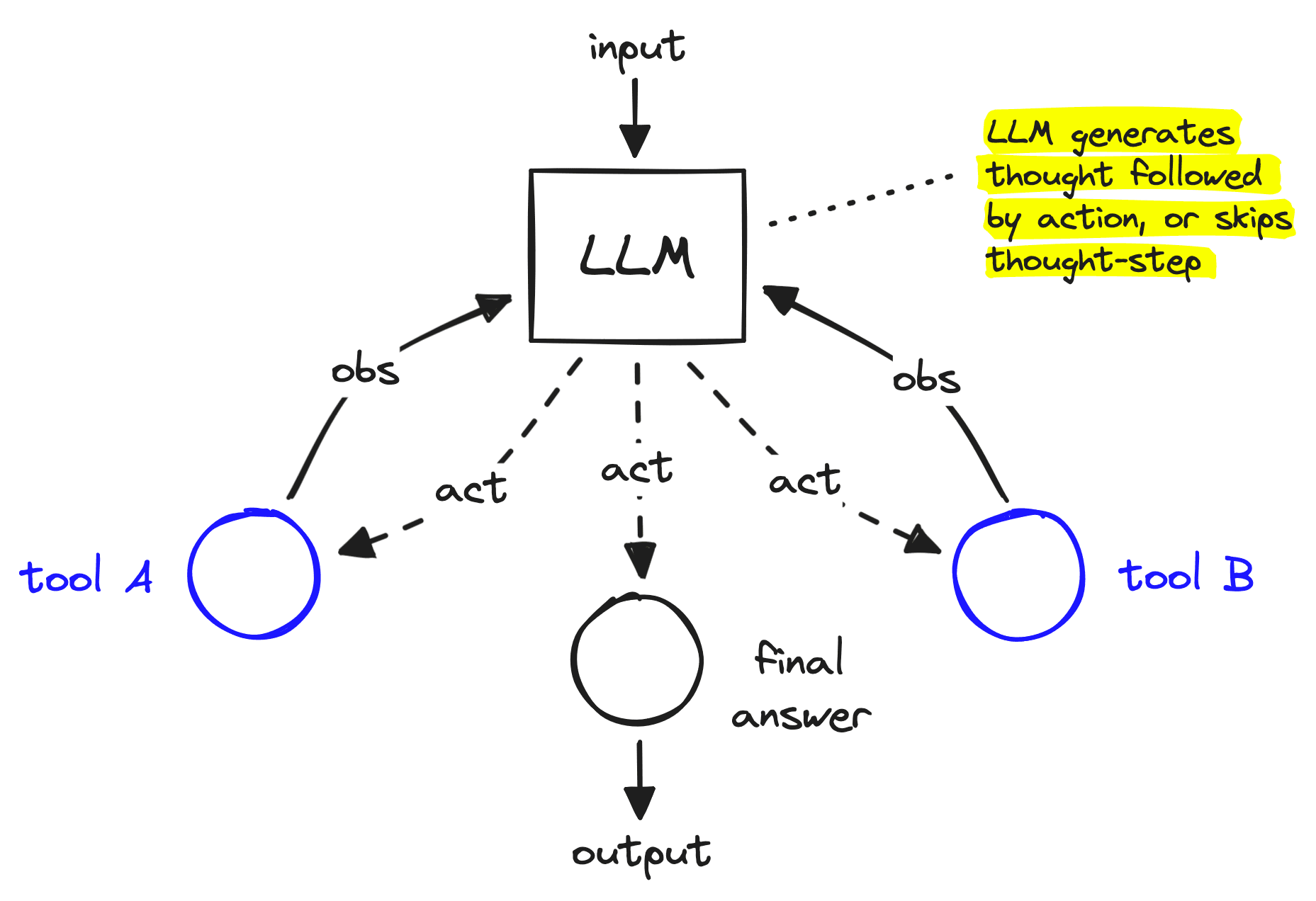
Why LangGraph? What is the need for LangGraph? How is it different from LangChain?
When building applications with LLMs, the early approach was simple: pass input → get output. This worked fine for demos, but real-world problems are rarely that linear.
Imagine an AI assistant that needs to:
Query multiple tools (databases, APIs, search engines).
Decide dynamically which tool to call next based on context.
Handle retries and errors when something goes wrong.
Loop or branch instead of just going in a straight line.
That’s where LangGraph comes in.
LangGraph gives you a graph-based execution model, where each step in your workflow is a node (like an LLM call or a tool) and the transitions are edges (actions, decisions, retries). This structure allows you to:
Model complex agent behavior instead of rigid chains.
Add memory and state, so the agent can “remember” what’s happening across steps.
Introduce control flow (loops, branches, conditional paths) that feels natural for agent reasoning.
In short:
LangChain = great for linear pipelines.
LangGraph = essential for dynamic, agentic workflows.
That’s why developers moving beyond toy demos are reaching for LangGraph—it’s the missing piece between simple prompts and robust AI agents.
How to implement LangGraph ?
As we know the importance of LangGraph for agentic workflow . Now lets see how to implement it in our projects . Here is a short project example :
We’ll build a mini AI system which takes user query and decides which model to call depending upon the user’s query .
What our project does:
Classifies if a user query is a coding question or a general query.
Routes the query accordingly.
If it’s a coding query, validates the generated code for accuracy.
Re-runs the coding agent until it achieves a high accuracy (≥95%).
This demonstrates the true power of LangGraph: creating workflows with conditional edges, looping, and decision-making.”
CodeWise Explanation :
Defining the State
First, we define the state our graph will carry forward. This is like a backpack that travels with the query across all nodes. We use a TypedDict to declare what information will be stored:
from typing import TypedDict

class State(TypedDict):
    user_query: str
    llmresult: str | None
    accuracy_percentage: str | None
    is_Coding_question: bool | None
Here:
user_query→ the raw question from the user.llmresult→ what the LLM generates as an answer.accuracy_percentage→ validation metric for coding responses.is_Coding_question→ a boolean flag set by our classifier node.
Nodes
Each node in a LangGraph workflow represents a function. Think of them as stations in a railway network — every station performs one job before sending the train (state) to the next stop.
Classify Message – detects if a query is coding-related.
General Query – handles normal questions.
Coding Query – uses a specialized system prompt to handle coding.
Coding Validate Query – checks if the code is correct and calculates accuracy.
def classify_message(state: State):
    query = state["user_query"] # query from your state which you made above
    # LLM decides if it's a coding question
    ...
    state["is_Coding_question"] = is_coding_question
    return state
Every node takes the state, processes it, and returns the updated state.
Edges & Conditional Flow
Here’s where LangGraph shows its magic ✨. Instead of rigid “if-else” spaghetti code, we declare edges that control how data flows.
route_query→ routes to coding_query if it’s a coding question, else to general_query.
conditional_edge → after validation, decides whether to retry (loop back to coding) or end the graph.
def route_query(state: State) -> Literal["general_query", "coding_query"]: # syntax for directing the edge to either of the both depending upon the result from the llm
    if state["is_Coding_question"]:
        return "coding_query"
    return "general_query"
def conditional_edge(state: State) -> Literal["coding_query", "__end__"]:
    accuracy = float(state["accuracy_percentage"].replace("%", ""))
    return "coding_query" if accuracy < 95 else "__end__"
This allows branching (choose a path) and looping (retry until accuracy is high).
Graph Compilation
Finally, we wire everything together into a graph. Each node is registered, and edges define the control flow.
from langgraph.graph import StateGraph, START, END

graph_builder = StateGraph(State)
graph_builder.add_node("classify_message", classify_message)
graph_builder.add_node("general_query", general_query)
graph_builder.add_node("coding_query", coding_query)
graph_builder.add_node("coding_validate_query", coding_validate_query)

# Define flow
graph_builder.add_edge(START, "classify_message") # graph starts from here
graph_builder.add_conditional_edges("classify_message", route_query)
graph_builder.add_edge("general_query", END)
graph_builder.add_edge("coding_query", "coding_validate_query")
graph_builder.add_conditional_edges("coding_validate_query", conditional_edge)

graph = graph_builder.compile()
At this point, the graph is ready:
Input goes to classify_message.
Gets routed to either coding or general query branch.
Coding branch loops until accuracy ≥95%.
Ends with a validated answer.
FlowChart of our code flow:
🔹 Conclusion
LangGraph takes us beyond simple, one-way prompt pipelines into the world of stateful, dynamic, and agentic workflows. With just a few nodes and conditional edges, we created a system that can:
Classify queries intelligently.
Branch into different workflows (general vs coding).
Validate and retry until a condition (95% accuracy) is met.
This small demo shows how graphs make AI workflows flexible and production-ready. Instead of hardcoding if-else logic, LangGraph lets you declare flows like a map—and the agent follows it.
As applications get more complex (multi-agent collaboration, retrieval pipelines, error recovery, tool orchestration), LangGraph becomes the natural backbone. It’s not just about answering questions—it’s about designing intelligent processes.
👉 If you’ve been building with LangChain and feel limited by linear chains, LangGraph is the next step to unlock true agentic behavior.
Here is Github link for code : https://github.com/Aarush18/LangGraph-Implementation-
Thank You